ThorAI
A downloadable game for Windows
ThorAI
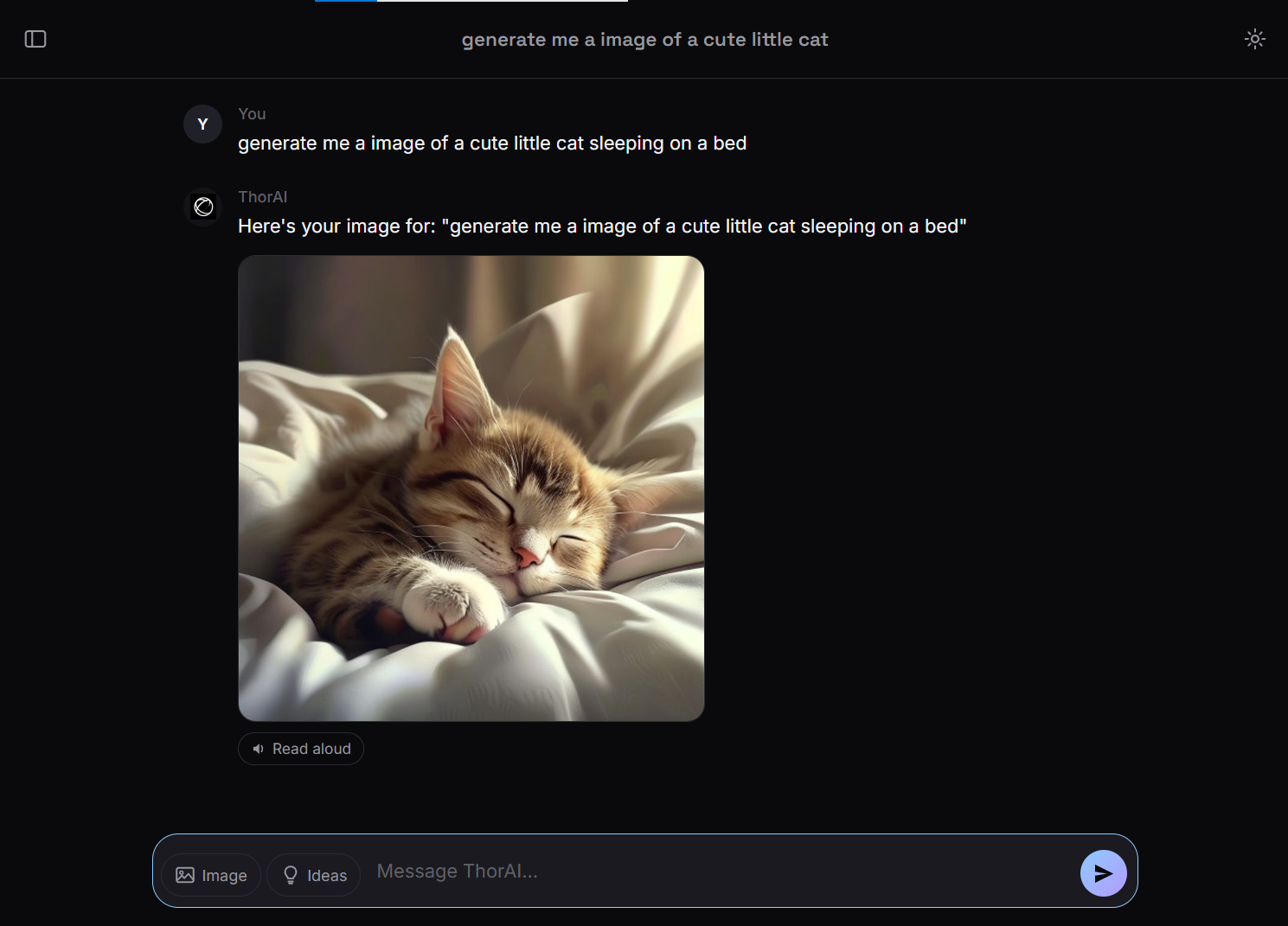
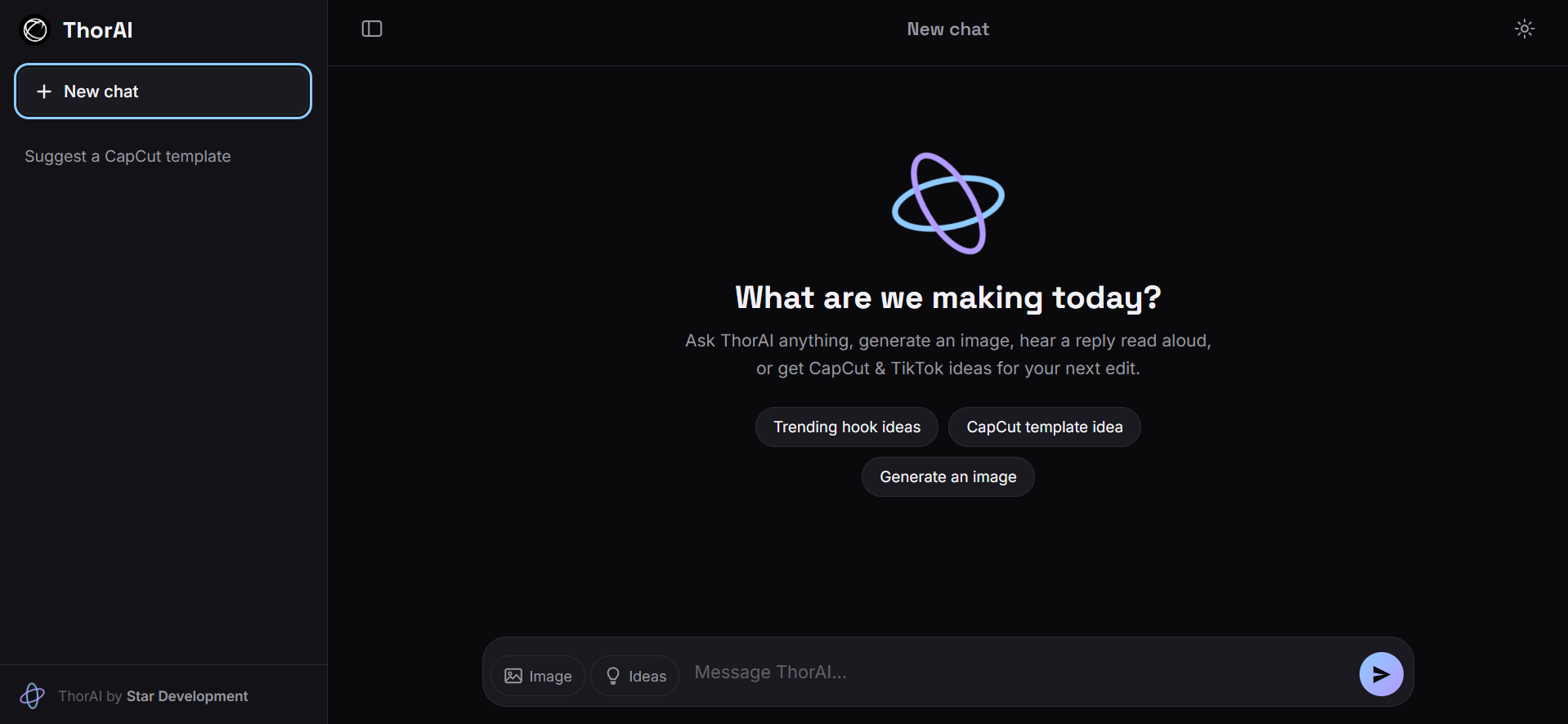
ThorAI is a modern AI assistant developed by Star Development, created to provide a fast, intelligent, and user-friendly AI experience. Designed with simplicity, performance, and creativity in mind, ThorAI brings multiple AI-powered tools together in one application, allowing users to chat with advanced language models, generate images, create voice audio, and discover content ideas without switching between multiple services.
Powered by the Groq API, ThorAI delivers fast response times and a smooth user experience. Whether you're looking for answers to questions, assistance with writing, brainstorming ideas, or creative inspiration, ThorAI is built to help you complete tasks more efficiently.
In addition to conversational AI, ThorAI includes several tools designed for content creators. Users can generate AI images from text prompts, create text-to-speech audio for videos and edits, receive recommendations for CapCut templates, and discover TikTok video ideas to help inspire new content. These features make ThorAI a useful companion for creators, editors, students, developers, and anyone interested in using AI for everyday tasks.
The application features a clean and intuitive interface with recent chat history, user profile customization, and an organized settings menu, making it easy to personalize your experience. Every part of the application has been designed to be straightforward and accessible while maintaining a modern appearance.
Features
- AI-powered conversations
- AI image generation
- Text-to-speech generation
- CapCut template recommendations
- TikTok video idea suggestions
- Recent chat history
- User profile customization
- Clean and modern interface
- Fast AI responses powered by the Groq API
- Simple navigation and settings
System Requirements
- Windows operating system
- Internet connection
- Groq API key (if required by your version)
Ongoing Development
ThorAI is an actively developed project. New features, interface improvements, performance optimizations, and additional AI capabilities are planned for future updates. As the project grows, the goal is to expand ThorAI into a comprehensive AI platform that continues to evolve with the latest advancements in artificial intelligence while remaining fast, reliable, and easy to use.
Thank you for downloading and supporting ThorAI.
Developed by Star Development.
v.1.1
Download
Install instructions
Installation Guide
Installing ThorAI is quick and straightforward. Follow the steps below to get started.
Step 1 – Open ThorAI
After downloading and extracting the project files (if applicable), locate the main application file.
Open the HTML file included with ThorAI to launch the application in your web browser.
Step 2 – Configure Your API Key
Once ThorAI has opened, click the Settings button located in the upper-right corner of the application.
In the API Key section, paste your Groq API key into the designated input field. If your version of ThorAI supports additional AI providers, you may also use a compatible API key from one of those services.
After entering your API key, save your settings.
Step 3 – Start Using ThorAI
Once your API key has been configured, ThorAI is ready to use.
You can now start chatting with the AI, generate images (if supported by your selected provider), create text-to-speech audio, receive CapCut template recommendations, discover TikTok content ideas, and access all other available features.
Leave a comment
Log in with itch.io to leave a comment.